 Shortlist
AI recommendations for Plex — what works and what doesn't
Where a language model helps with Plex recommendations, where it invents films you don't own, what it costs nightly, and how to run it locally with no API key.
Short answer: an AI model — an LLM, short for large language model — is good at ranking and explaining a list of candidates. It is bad at producing that list. Ask a model “what should Sam watch?” and you get films you don’t own, films under alternate titles, and occasionally films that don’t exist. Generate candidates from your library first and the model becomes genuinely useful.
This page is about the shape of the problem, not about any one tool.
The failure everyone hits first
The obvious design is: dump the watch history into a prompt, ask for ten recommendations, create a collection from the answer. It demos beautifully and falls apart in a library.
The model doesn’t know what you own. It recommends from everything ever made. On a 2,000-film library most of what comes back isn’t there, so your row of ten becomes a row of three.
Titles don’t match cleanly. Films have alternate release titles, regional titles, remakes with the same name, and years that disagree between sources. “Which of my files is this?” is a real matching problem, and a model that answers confidently makes it worse.
It invents things. Not often, but often enough that an unattended nightly job will eventually publish a collection containing a film that has never existed to someone’s home screen.
It has no idea what they’ve watched unless you tell it, and telling it means putting the history in the prompt, which costs tokens and gets truncated on heavy viewers.
The shape that works
Invert it. Candidates from your library, ranking from the model.
- Take what the person actually watched and finished.
- Find similar titles through a metadata source — TMDB similarity, shared genres, keywords, cast, crew — or a recommendations service like Trakt.
- Filter to what’s in your library, and drop anything they’ve already seen.
- Then hand that shortlist to the model and ask it to pick the best ten and say why.
Now the model can’t invent anything, because it’s choosing from a list you control. Every pick provably exists. And you get the thing a model is actually good at: a sentence explaining why this film follows from that one, which is what makes a row feel considered rather than random.
Note that steps 1–3 need no AI at all. That’s worth knowing before you buy an API key — the structural work is code. Shortlist goes one step further: it does step 4 in code too, ranking the shortlist and writing the reason for each pick itself, so a model is never needed to explain a pick.
Do you need an API key?
No, and it’s worth understanding what you’re buying if you use one.
Without a model: candidate generation, filtering and scoring all run in code. You get a correct, personalised row, with a plain-English reason on every pick. What you don’t get is web search for recent titles TMDB misses, or an AI row you describe in your own words.
With a model: it can search the web for recent titles, and it can build an AI row from a description. Ranking and the reason for each pick are still done in code.
That’s the honest delta. It’s a nice improvement, not the difference between working and not working. Be suspicious of any tool that treats an API key as mandatory — it usually means the model is doing the candidate generation, which is the design that hallucinates.
Running it locally
A local model removes the cost and privacy questions entirely, and the ranking task is easy enough that small models do it well. The usual options are Ollama, llama.cpp, LM Studio, vLLM and LocalAI. All of them answer requests the same way OpenAI’s service does, so a tool built for OpenAI can usually be pointed at one by changing nothing but the web address.
Ranking twenty candidates and writing ten short sentences is not a demanding job. You do not need a 70-billion-parameter model for this, and a modest local one running on the same box as your server is a perfectly reasonable setup.
The same setting covers hosted gateways that speak this API — ollama.com’s cloud, OpenRouter — since the only difference is that they want an API key. Give the “Local / OpenAI-compatible” option the gateway’s address and its key; a server on your own network needs the address alone.
What it costs on a cloud provider
The bill is driven by how many people, how often, and how much you put in each prompt — not by which model brand.
Rough shape for a nightly run on a server with a couple of dozen users: you’re sending a shortlist of candidates plus a compact viewing summary per person, and getting back a small ranked list. That is a small number of tokens per user per night.
Two things blow it up:
- Sending raw history instead of a summary. A heavy viewer’s full watch list is enormous and mostly redundant.
- Rebuilding every row every night when nothing has changed. If someone hasn’t watched anything since the last run, the inputs are identical and you’re paying to regenerate the same answer.
Both are solvable in how the job is scheduled, which is why refresh cadence matters more to your bill than model choice.
Judging an AI-powered tool
Questions worth asking, whichever you pick:
- Are picks verified against the library before delivery, or is the model’s word taken for it?
- Can it run with no key at all? If not, the model is probably generating candidates.
- Can you point it at a model running on your own hardware, or only at cloud providers?
- Is history summarised or dumped into the prompt?
- Does it re-run when nothing changed?
- Can you see the reason for each pick — and is that reason traceable to something the person actually watched?
Shortlist runs the inverted shape: candidates come from TMDB and Trakt, are filtered to titles in your library, then ranked and explained in code. An optional model (Claude, GPT, Gemini, or an OpenAI-compatible server you run yourself) only helps find titles, through web search, or builds an AI row.
Do it automatically
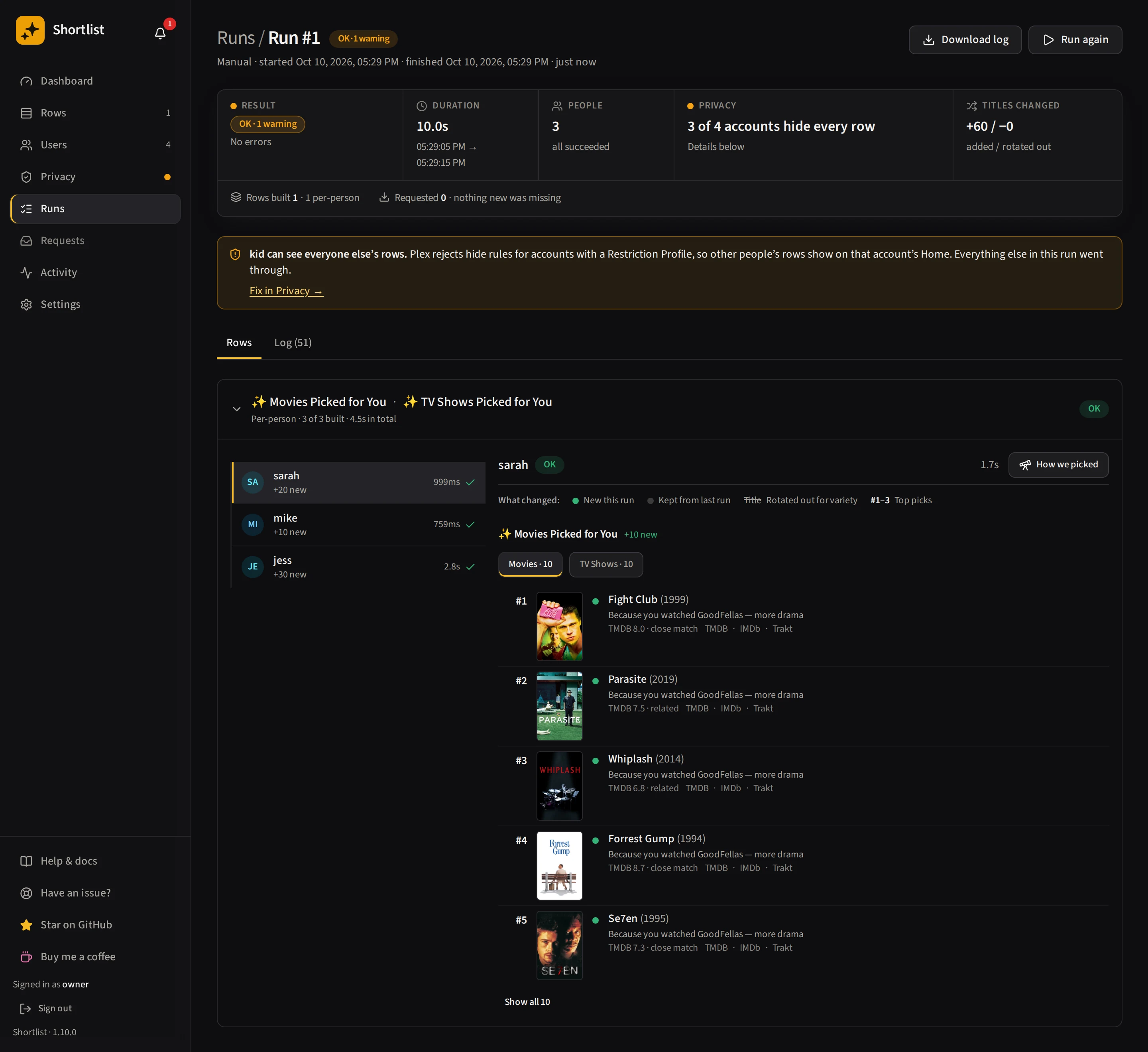
Shortlist does this for every person on your server, every night: it reads each person's own watch history, picks only titles already in your library, says why, and hides each row from everyone else with Plex sharing filters (the server owner and some restriction profiles are the exceptions). It is one self-hosted Docker container, and AI is optional.
docker run -d --name shortlist -p 5959:5959 \
  -e TZ=Etc/UTC -e PUID=1000 -e PGID=1000 \
  -v /path/to/shortlist/config:/config \
  --restart unless-stopped \
ghcr.io/stevezau/shortlist:latestRelated
- How to improve Plex recommendations — the non-AI settings first
- Recommendations from watch history — where candidates come from
- Plex recommendation tools compared — which tools require a key
- AI and cost — provider setup and keeping the bill down in Shortlist