 Shortlist
Getting started
Requirements, Docker install, first login and the setup wizard that connects your Plex server and builds each user's first personalized rows.
Requirements
- Somewhere to run a Docker container. Shortlist ships as a Docker image and is installed by running that container — on Windows, macOS, Linux, a NAS (Synology, QNAP, unRAID), or anything else that runs Docker. It does not have to be the same machine as Plex; it only needs to be able to reach your Plex server over the network.
- Plex Media Server 1.43.2.10687 or newer — this is the version where Plex started honouring the setting that hides each row. On anything older, a private row could show up for other people. The wizard checks your version before you begin, so you’ll know straight away.
- Plex Pass on the server owner’s account. The hiding feature is a Pass feature.
- A TMDB API key (free: themoviedb.org → Settings → API).
Optional extras
Shortlist works fully without any of these.
- Tautulli — only improves the names people are shown by. Watch history comes straight from Plex either way, with no setup.
- An AI provider — Claude, GPT or Gemini, or a local server you run yourself (Ollama, llama.cpp, LM Studio, vLLM, LocalAI). This unlocks one extra source: a live web search for what to watch next.
- An Exa key or your own SearXNG — either makes that web search work with any AI provider, including local ones that have no internet access. Exa needs a free-tier signup; SearXNG is free and runs on your own hardware. See Which web-search backend should I use?.
Release channels
The commands below install the current release, using the :latest image tag. This is the default
for a new installation.
The :dev tag follows the development branch and can include changes that are not released yet. To
choose it deliberately, replace :latest with :dev in your image configuration and recreate the
container. Back up /config before changing channels; do not downgrade a migrated database in place.
Install (Docker)
services:
  shortlist:
    image: ghcr.io/stevezau/shortlist:latest
    ports: ["5959:5959"]
    volumes: ["./config:/config"]
    environment:
      - TZ=Etc/UTC
      - PUID=1000
      - PGID=1000
    restart: unless-stopped
Save it as docker-compose.yml, run docker compose up -d, then open http://your-host:5959.
Add SHORTLIST_DRY_RUN=1 under environment: to see every change it would make while writing
nothing to Plex (see Trying it safely).
Other ways to install
With one docker run command instead of a compose file:
docker run -d --name shortlist -p 5959:5959 \
  -e TZ=Etc/UTC -e PUID=1000 -e PGID=1000 \
  -v /path/to/shortlist/config:/config \
  --restart unless-stopped \
ghcr.io/stevezau/shortlist:latestChange /path/to/shortlist/config to a folder on the host, then open http://your-host:5959.
From Docker Hub. The identical image, with the same tags, is on Docker Hub as
stevezzau/shortlist. The doubled z is deliberate: that is the project’s Docker Hub account,
even though the source lives at github.com/stevezau/shortlist with one. Don’t “correct” it or the
pull fails. GHCR is the default here because it has no anonymous pull limits.
With the optional seeds. The repository’s
docker-compose.example.yml
is a longer version of the same file, with the optional one-time settings (Plex URL and token, Tautulli, TMDB key)
written in as comments. Every one of them can be entered in the wizard instead.
The setup wizard
Open http://your-host:5959. A fresh install goes straight into the wizard. There is
nothing to sign in to yet. Step 1 connects your Plex account (that’s the sign-in, and it’s
what claims the instance for you); from then on Shortlist only opens for that account.
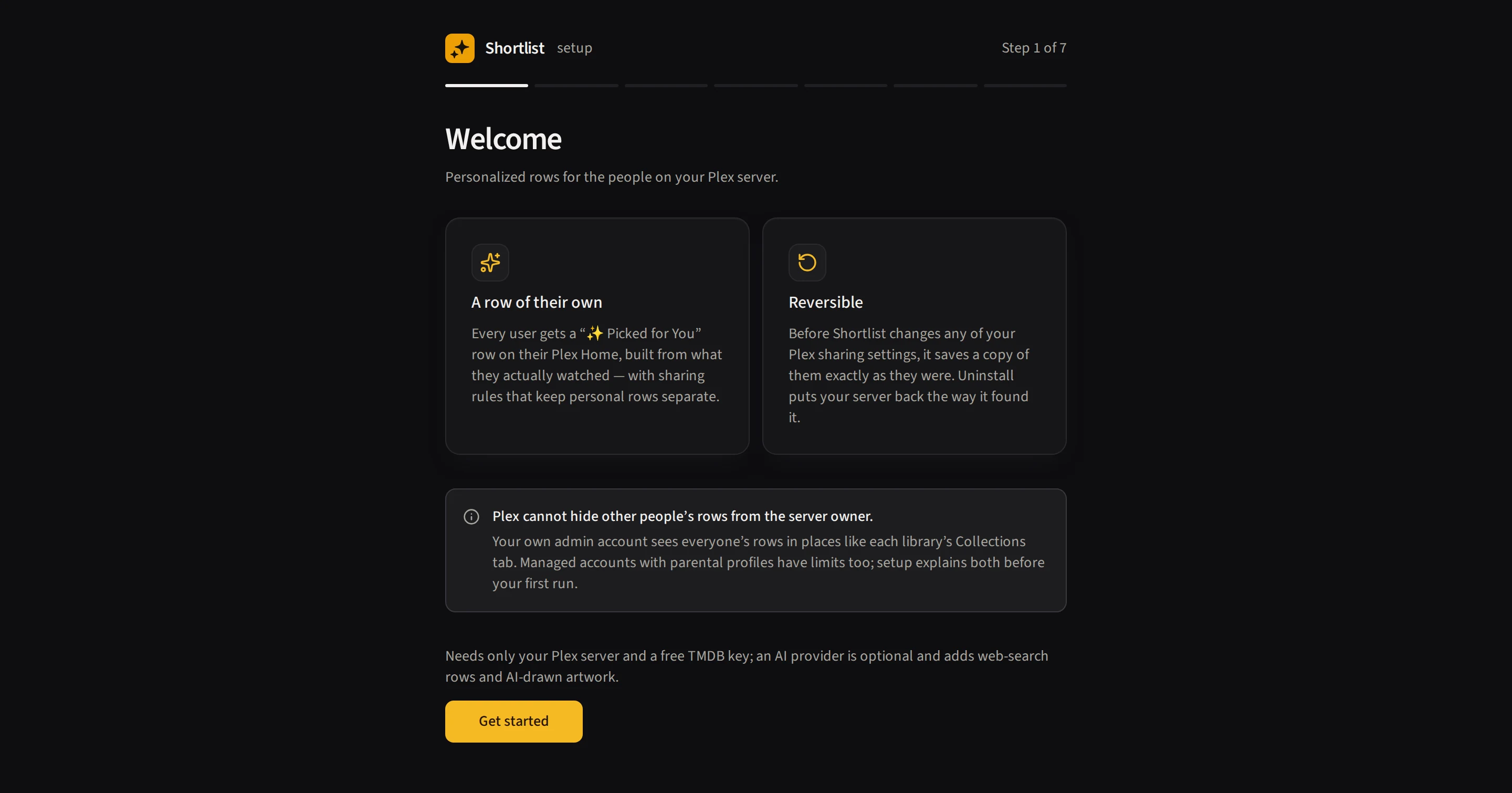
Every screenshot on this page is of a throwaway test server, so no real account, address or library appears in one.
Set Shortlist up on your own network first. Until you sign in with Plex and link a server, anyone who can open the page could claim it as theirs, so don’t put it on the public internet until you’ve finished the wizard. Once you’ve claimed it, it’s yours.
The wizard has 7 steps:
- Welcome — a short intro screen. Read it and continue.
-
Connect Plex — sign in with a PIN, then pick your server. Shortlist checks your Plex version, Plex Pass, and libraries, and tells you in plain English whether each one is OK.
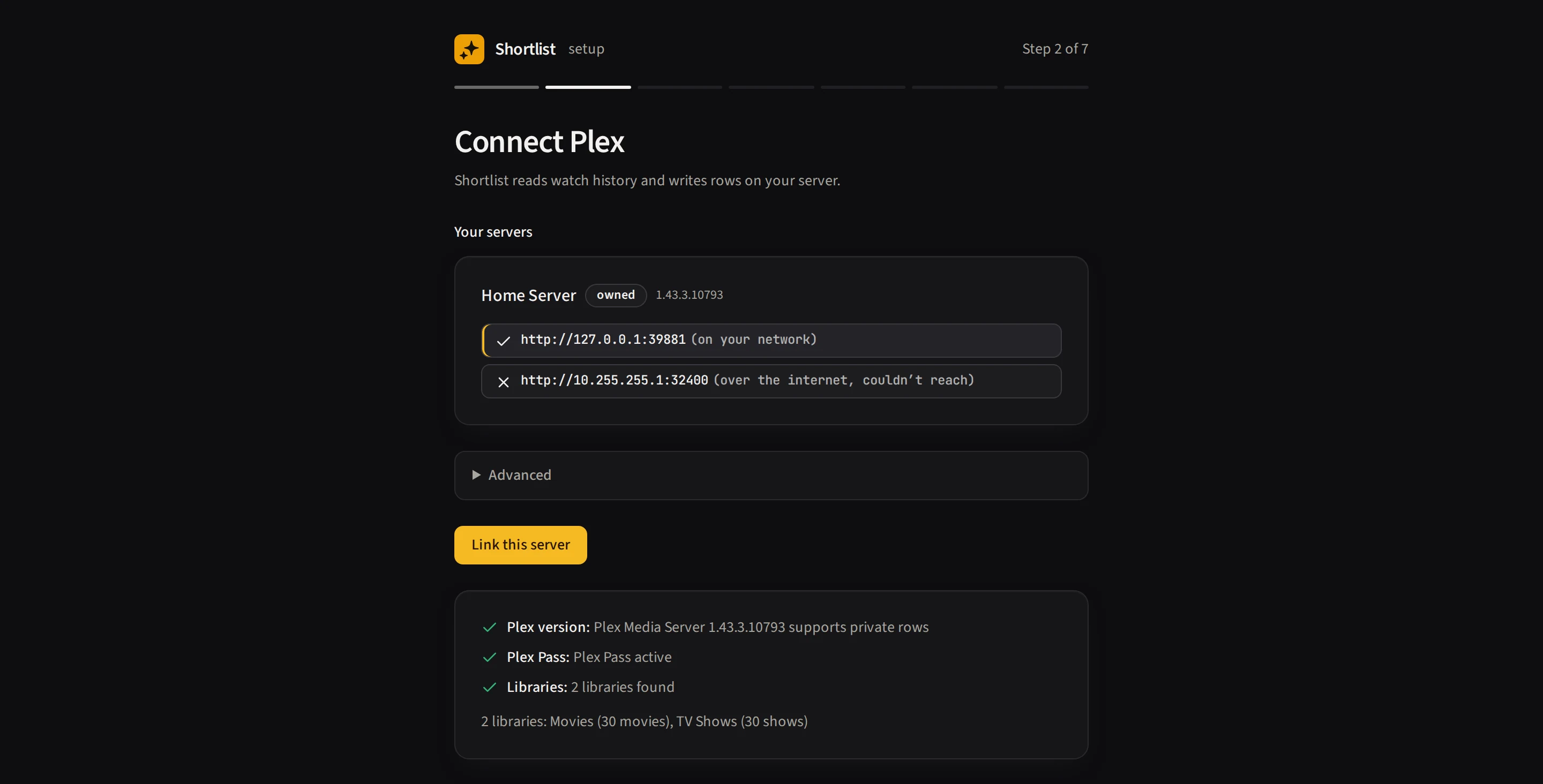
Every address Plex advertises for your server is tried from where Shortlist actually runs, and the one that answered is preselected. You can always type a different one under Advanced.
- Add a free TMDB key. Three short steps walk you through getting the key, then Test key unlocks Next. Watch history comes straight from Plex with no setup. Tautulli sits in a closed optional section, and only improves the names people are shown by.
- Choose your AI provider — Claude / GPT / Gemini / a local server / None (preselected). Keys stay yours: stored encrypted, and hidden again once saved. Picking None is a perfectly good choice.
- Pick your users — everyone you share with, with a reason under anyone switched off.
-
Make it yours — choose the row’s name, how many titles it holds and its refresh cadence. Each row keeps its own schedule. A live title preview shows the name as you type, and Save & continue saves the name and size before moving on.
The name can be plain text, or use a placeholder that fills itself in per person, such as
{library_name},{user}or{top_seed}. See Naming a row for what each one becomes. - First run — watch it build, person by person. Reloading resumes the same run. Results distinguish built, skipped and failed users. You can finish setup while the run continues, or skip building until later.
Trying it safely
Shortlist changes real Plex sharing settings, so you may well want to watch it work before you trust it. Two ways to do that:
- Safe mode — start the container with
-e SHORTLIST_DRY_RUN=1. Every run then logs exactly what it would change and writes nothing to Plex. Walk the whole flow, read the run activity, and only remove the flag (and recreate the container) once you’re happy. - One user first — on the Users page, disable everyone except a test account, run, then sign in as that account (not the owner. The owner sees every row) and confirm they see only their own row.
The first real run is the slowest: it builds every enabled user’s rows and merges every account’s share filter. Later runs are much faster. Most rows are unchanged and skipped.
Every row is hidden from every other account before it is ever put on a home screen, so nobody finds a row that was built for someone else. (You are the exception: Plex cannot hide anything from the server owner — see below.) Your share filters are copied before the first change, so Uninstall (Settings → System → Danger zone) restores that saved copy and reports any accounts it cannot restore. The hiding relies on Plex Media Server 1.43.2.10687 or newer — older builds ignore it, which is why the wizard surfaces your version before you begin.
One thing you should know
You’re in the user list too, so you can give yourself a row like anyone else. On a one-person server that’s the whole point.
What Plex cannot do is hide collections from the server owner. Your own Home screen is fine — Shortlist puts each person’s row only on their side — but the library’s Collections tab shows you everyone’s, and so does the Recommended shelf if you leave that on for a row. If that bothers you, take the rows off the Recommended shelf, or watch on a Plex Home user and keep the admin account for administration.
You’re set up. What now?
Everyone has a row and it will refresh on its own. Worth doing next:
- Check it landed. Sign in as somebody who isn’t you and confirm they see their row, and only theirs. The owner account sees everybody’s, so it can’t tell you this.
- Add another kind of row. There are eleven templates, including “Your requests” and the AI’s “Describe a row”. See Rows and templates.
- Decide how often rows change. Each row keeps its own schedule. See Schedules.
- Let it fill gaps in your library. Shortlist can ask Radarr or Sonarr for titles your people want but you don’t have. See Requests.
If a row doesn’t turn up, Troubleshooting lists what usually causes it.
Edit this page on GitHub