 Shortlist
How a row is filled
How Because you watched and Watch it again rows choose their titles, what people with too little watch history get, and the orders a row's titles can appear in.
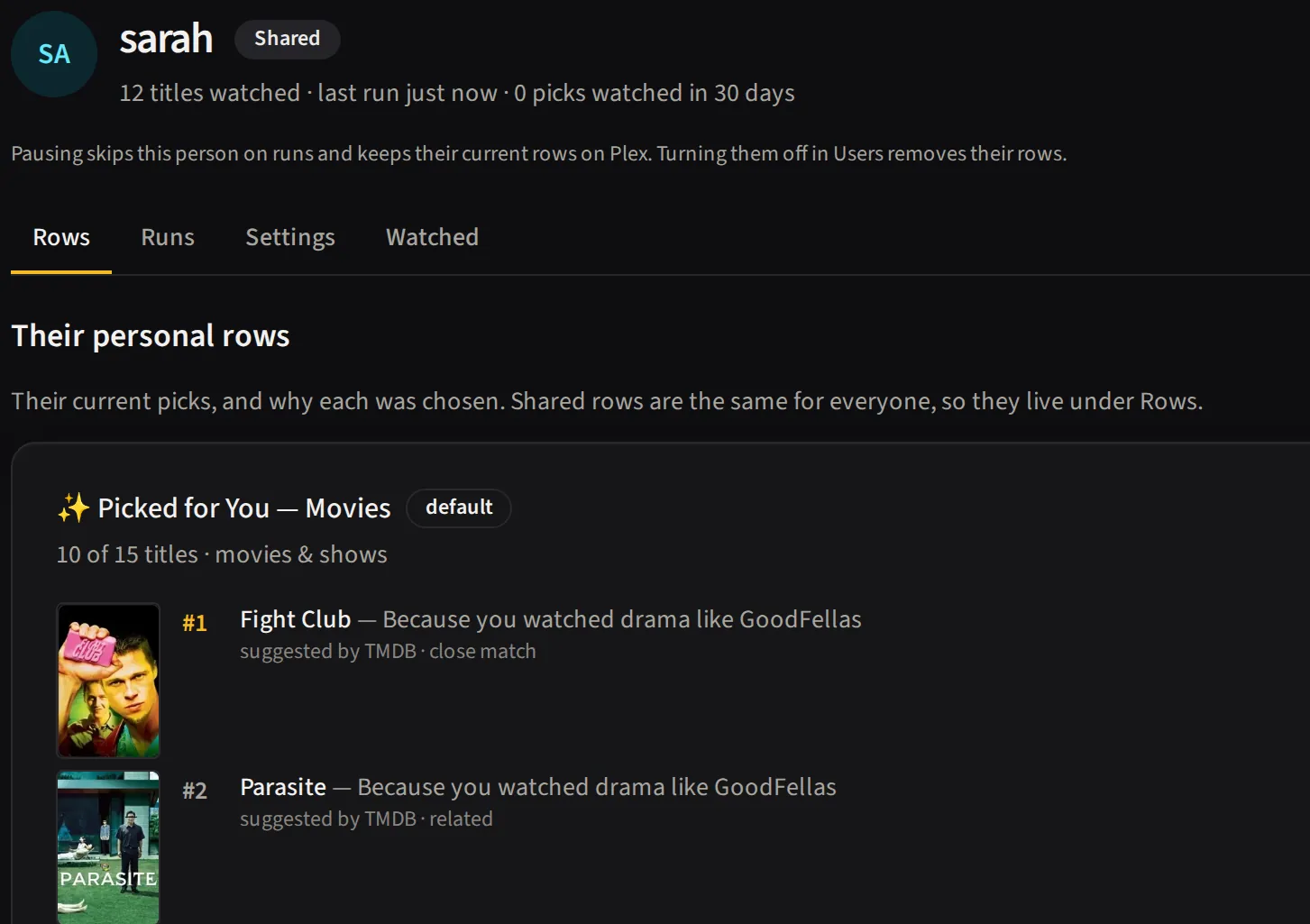
Every pick in a row carries the watch that earned it. Because you watched rows follow one recent watch; Watch it again rows start from what someone has already finished.
Because you watched rows
Choose Because you watched as a row’s kind — or start from the Because you watched… template — and it names the row after one recent watch and fills it with things like that title. Its Which watch it’s based on block decides which watch (or watches) that is.
Based on, for a row covering both Movies and TV:
- Their latest film and their latest show — one watch of each. The row’s name is genuinely about that one film or show, not an average of many.
- Only the very last thing they watched — a single watch, film or show, whichever is more recent.
- A blend of their last N watches (3 or more) — several recent watches blended into one set of
suggestions. The row still names the strongest of them (see Naming a row),
but the further past 2 you go, the less that name describes what actually built the row. A blend
can’t take turns. A row whose name uses
{top_seed}can also leave N to the global default with Use the global default beside it, so it follows whatever Settings says.
A row covering only Movies (or only TV) instead offers Their latest film (or show) — a single watch — or A blend of their last N films (2 or more).
One catch, which the editor also tells you: choosing Only the very last thing they watched on a row covering both Movies and TV has the same limit it always did — a single watch is either a film or a show, never both, so only one of the two libraries gets seeded and the other’s collection never builds. Use Their latest film and their latest show for a row covering both, or split the row to Movies only or TV only.
Take turns between their last [N] watches cycles which single watch the row follows: instead of sticking to the most recent one until it’s replaced, the row works through the last N (up to 20), moving on by one each day and coming back around once it reaches the end. It cycles rather than picking at random, because a random pick can repeat, and a repeat looks exactly like a row that’s stopped working. Two people’s rows cycle out of step, so a whole server doesn’t rebuild the same night. This setting is always shown, but it only makes sense when the row follows a single watch, so it’s enabled while Based on is one of the single-watch options above and disabled — with a note explaining why — for a blend of 3 or more.
Name for someone who’s new sets what the row is called for a person with too little watch history
to have a {top_seed} at all — a plain fallback like “✨ Picked for You” rather than a half-finished
sentence. See People without enough watch history below for
the rest of what that setting controls.
A Because you watched row refreshes nightly when its name uses {top_seed}, or when it takes turns
between more than one watch. A row whose title claims a recent watch can’t be allowed to lag behind
it — at the usual pace it would go on naming last week’s film for a week after the person moved on —
and a row that takes turns has a different watch to follow each day. So in either case How often
it changes isn’t offered; the row simply picks new titles every night. A Because you watched row
with neither — a plain name and one watch at a time — keeps How often it changes, and refreshes
at whatever pace that says.
There is a modest cost to that. Refreshing nightly does not only mean “a write when the watch changes”. On the nights it hasn’t changed the row still swaps its weakest third for new titles, so it writes to Plex most nights, per person, per library, where an ordinary row on the default pace writes about weekly. It does not cost any extra AI usage: candidates are gathered once per run however often a row refreshes, so how often a row refreshes has no bearing on it.
Watch-it-again rows
Choose Watch it again as a row’s kind — or start from the Watch it again template — and the row is built from what each person has already finished in that library — not from titles similar to what they watch. New suggestions only fill the row when they haven’t finished enough titles.
What leads the row:
- Titles they rated 4 stars or more in Plex, highest first (when Plex ratings are switched on).
- Titles close to what they’ve been watching lately.
- Whatever they’ve gone longest without seeing.
What stays out: anything they finished in the last 30 days (change it with Skip titles finished in the last, or set 0 to allow everything), titles they rated low (again, only when Plex ratings are on), and genres you excluded for them. Someone with too little history still gets their finished titles first, with the server’s top-rated titles filling any room left.
When their finished titles run out
Once a person’s finished titles for the row run dry, the rest of the row is filled the same way a Picked for You row is — the Row editor groups those settings under When their finished titles run out: How many recent watches to match, Sources, and Recent releases — plus Take turns between their last [N] watches while the watch count is 1 or 2, since those new picks can follow one watch at a time just as a Because you watched row does. Two settings that make sense for new suggestions don’t apply here and don’t show: Already-watched titles (the whole point of this kind is titles they HAVE watched) and Only series they haven’t started (the opposite of a rewatch row). A fill-up title can still be requested if your library doesn’t have it — see Requests on a row.
People without enough watch history
Someone new to the server, or someone who barely watches, has too little history for Shortlist to recommend from. Settings → Defaults → Refresh & variety → Enough watch history is where that line sits (10 watched titles by default), and the setting beneath it decides what those people get:
| Choice | What lands on their Plex |
|---|---|
| Show the server’s highest-rated titles | They still get the row, filled with what rates highest on this server. This is the default. |
| Don’t build their row | No row is created — and any row they already have is removed, so “skip” means gone rather than left to go stale. |
Either way it resolves itself: the row appears (or returns) on its own the night they cross the threshold. Nothing needs setting back.
Any row can override this in the Row editor, which is the point of having it per row rather than
only server-wide. A {top_seed} row is the one worth skipping — it has no favourite to name itself
after, so for a cold-start person it falls back to the plain default title. A general
“Picked for You” row is perfectly happy holding popular titles in the meantime. Leave a row on Use
the global setting and it follows Settings.
The person still appears on the Users page, flagged as needing more watch history — a row that is missing on purpose is never left looking like a failure. The run’s entry for them says how many titles they have watched so far and what was skipped. Shared rows are unaffected: this only governs the per-person ones.
The order titles appear in
Row editor → Order decides how a row’s titles are arranged in Plex:
| Order | What you get |
|---|---|
| Best match | Strongest suggestions first, by how well each title matches their viewing |
| Highest rated | Highest score first, from whichever service you configured |
| Newest released | Most recently released first |
| Shuffled | A different order every day, from the same titles |
| Just added | Whatever is new to the row goes to the front, the rest follow in match order |
| Taking turns | The front moves along by one title a day, so every pick gets a turn there |
Plex itself only sorts a collection by release date, alphabetically, or by a custom order, so every one of these is applied by Shortlist and delivered as that custom order, which is what the Home row displays.
Newest released and Just added are different things, and the difference matters: the first is about when a film or show came out, the second about when it joined this row.
Highest rated uses TMDB by default, which needs no setup. To sort on IMDb, Trakt, Rotten Tomatoes or Metacritic instead, set Settings → Defaults → Refresh & variety → Rate titles using. Those come from MDBList and need its API key (the same one the Requests feature uses). Without a key, or once MDBList’s daily quota is spent, the row falls back to TMDB for its whole ordering rather than sorting half the row on one scale and half on another.
Shuffled and Taking turns are the two with a cost worth knowing about. The other four are applied while the row is being written anyway, so they are free; these two reorder the row on Plex every day, including days when nothing about the row has changed. The whole row is ordered, and it is one Plex write per title actually out of place, per person, per night — so a row that barely moved costs a handful of writes and a row that turned over completely costs one per title. On a server with many people that is real write volume, so neither is on by default.
Both are stable within a day. Re-running a row the same night reproduces the same order, and two people’s copies of one row shuffle differently.
Just added only moves on the nights a row actually refreshes — on the other nights nothing has arrived, so there is nothing to put in front. How often that happens is How often rows rebuild, not this setting. If the front of a row feels stuck, the rebuild cadence is usually the dial you want, and Taking turns is the one that moves the front every night regardless.
Length, year and rating limits
Picked for You, Because you watched and Watch it again rows can set three optional limits under What goes in. Each one is off while its box is blank, so a row with none set behaves exactly as it always has. “Your requests” and the popular shared row don’t offer them.
- Longest it can run (minutes) (1 to 600) leaves out films longer than this. For a show it is the length of an episode, not of the whole series.
- Released between takes a first year and a last year (1870 to 2100). Fill in one end or both. The first year can’t be later than the last. A show’s year is the year it first aired, so a long-running series that began before your cutoff counts by its start year, whatever it is airing now.
- Lowest rating (out of 10) (0 to 10, decimals allowed) leaves out titles rated below this, using the TMDB rating. A lowest rating of 0 is the same as no limit.
What to expect:
- Unknown is kept. A title whose release year, rating or length TMDB doesn’t know is left in, and so is one TMDB failed to answer for. A limit never empties a row because TMDB had a gap or a hiccup. If TMDB fails five lookups in a row, Shortlist stops asking and keeps the rest of that row’s titles unchecked.
- Titles nobody has rated are dropped once a lowest rating is set, when TMDB really has no votes for them. A title whose source gave no rating, such as one from Trakt, is looked up on TMDB first.
- It covers more than the main picks. The limits also apply to Watch it again rows and to the “Popular on this server” titles a row falls back to for someone with little history. Request demand from a limited row follows its year and rating limits, but not its length limit.
- Some rows have no limits. “Your requests” and the popular shared row don’t offer them.
- Changing a limit rebuilds the row on its next run, like any other content setting. A limited row shares its AI web search with an identical row that has no limits, so a limit adds no AI cost.
- A tight limit can leave a row short. The row only holds titles that pass, so it may have fewer than its usual number.
- The run trace shows what was left out. Dropped titles appear as “Outside this row’s limits”.
AI instructions
When AI web search is one of a row’s sources, the row editor shows an AI instructions field under What goes in. It tells the AI what to look for, such as “prefer award-winning dramas from the last ten years” or “no horror”. You can also set a server-wide default in Settings → Defaults → Title sources, inside the Web search panel. It saves on its own. Leave it empty and Shortlist’s built-in guidance is used. Write your own there starts from Shortlist’s wording, placeholders included, and saving it unchanged keeps the built-in default, so no row rebuilds.
Each row picks one of three modes:
- Use the default: the row follows the server-wide text.
- Add to the default: the server-wide text, then yours after it.
- Write your own: your text replaces the default guidance. Shortlist’s fixed parts, listed below, still apply.
The text can be up to 2000 characters. Three placeholders fill in when the AI is asked:
{count} is how many titles it is asked for, {year} is this year and {last_year} is last year. Any
other brace is sent exactly as you typed it.
Shortlist always adds a few things you can’t change: today’s year, an instruction to search rather than answer from memory, the exact title and release year for every pick, released titles only, and the reply format. Every suggestion is still checked against your library, each person’s watch history and what they’re allowed to see, so instructions can narrow a row but can’t put a title in front of someone who shouldn’t see it.
What to expect:
- Only AI web search reads them. TMDB and Trakt sources on the same row don’t, so a row with both is a mix.
- With Exa, searches start from each person’s recent watches and are shared between people. The instructions decide which of Exa’s titles the AI keeps, not what Exa searches for.
- With Claude, GPT or Gemini searching for themselves, the instructions steer the search too.
- With SearXNG, they decide which titles the AI picks from the results.
- With no AI provider, they have no effect. Exa’s titles are used as found, and the other backends don’t run AI web search at all.
- With a provider that can’t search for itself, such as a local model, and no Exa or SearXNG chosen, they have no effect either. Choose Exa or SearXNG in Settings → Connections.
- Changing them rebuilds the row on its next run. That goes for a row’s own instructions and for the server-wide default a row uses.
- Cost. Rows with different instructions can’t share one AI web search, so such a row may cost its own AI call per person each run.
- There are no per-person instructions.
Before saving you can open the preview in the editor to see exactly what the AI will be sent. It writes nothing.
Edit this page on GitHub