 Shortlist
The web interface
What every page in the Shortlist web interface does, and what each number on the dashboard actually means.
Eight pages in the sidebar: Dashboard, Rows, Users, Privacy, Runs, Requests, Activity and Settings.
Star on GitHub and Buy me a coffee sit in the block at the bottom of the sidebar. On a phone,
Open menu shows the same navigation; Escape closes it and returns focus to the menu button. The
activity indicator shows running, queued and recent background work, while the bell holds
notifications and actions that need your attention. The old /sharing, /logs and /jobs
addresses still work and redirect to Privacy and Activity.
The screenshots use sample accounts and titles. This is what each page is for.
After you update Shortlist, the next page you open shows What’s new: the release notes for every version since you last read them. Close it and it stays closed, in every browser, until the next release.
Dashboard
A status strip across the top shows Last run, Next run, Privacy and Plex. Last run sums up the night’s scheduled runs when more than one ran. When an account has a Plex Restriction Profile (or a filter Plex fails on) that Shortlist cannot hide rows from, a one-line callout names it under the strip. Below that is the impact report: what Shortlist delivered versus what people actually watched, for a window you choose (7 / 30 / 90 days, or all time, 30 by default). Watched from rows carries its change against the previous equal period, so you can see direction rather than a running total. Beside the window selector, Watch sync says whether live watch tracking is running, and Sync now refreshes the numbers on demand. Before the first run the page shows a first-run panel instead, with Run now and Dry run first. A dry run writes nothing to Plex. Once rows exist but nobody has watched anything, a What happens next card shows when the next run builds rows and how many requests wait for approval.
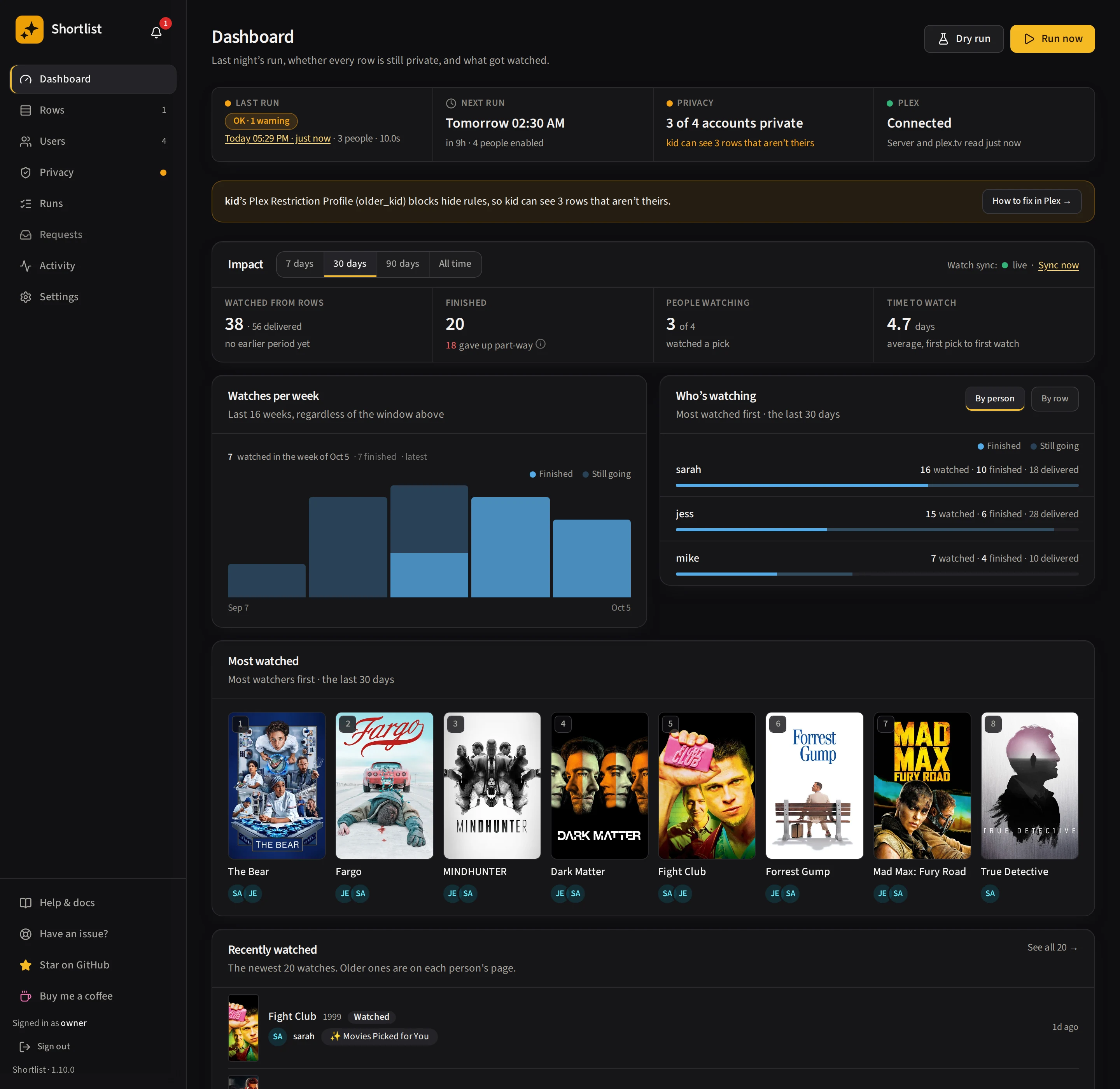
What each figure means is at the bottom of this page.
Rows
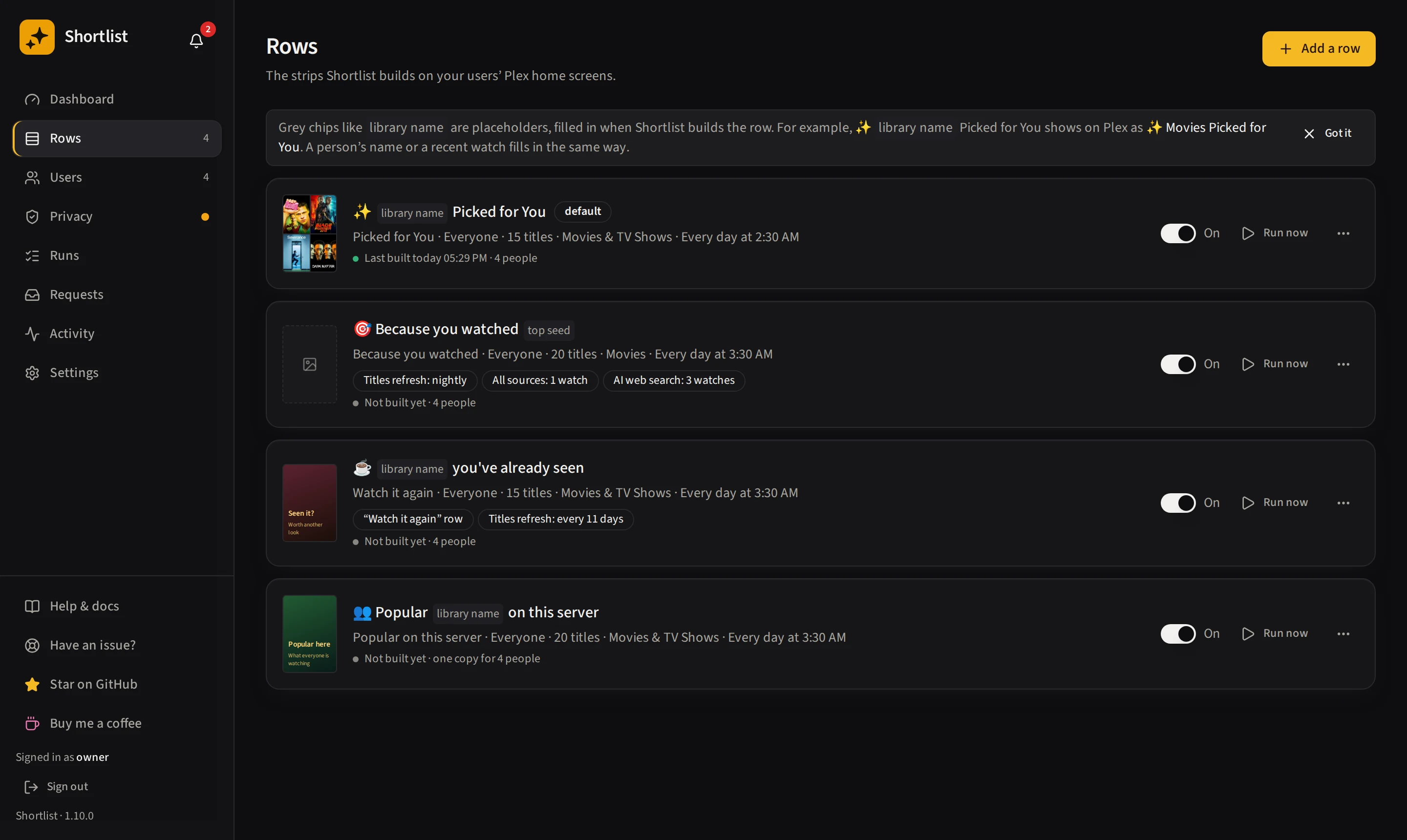
Create, edit, and reorder your rows. The list shows each row with a collage of its posters, who sees it and how it differs from the defaults (sources, libraries, rebuild cadence, placement). The switch turns a row on or off, Run now runs it, and the overflow menu holds Edit, Runs, Rename on Plex, and Remove or delete. This is where the whole multi-row feature lives. See Rows and templates.
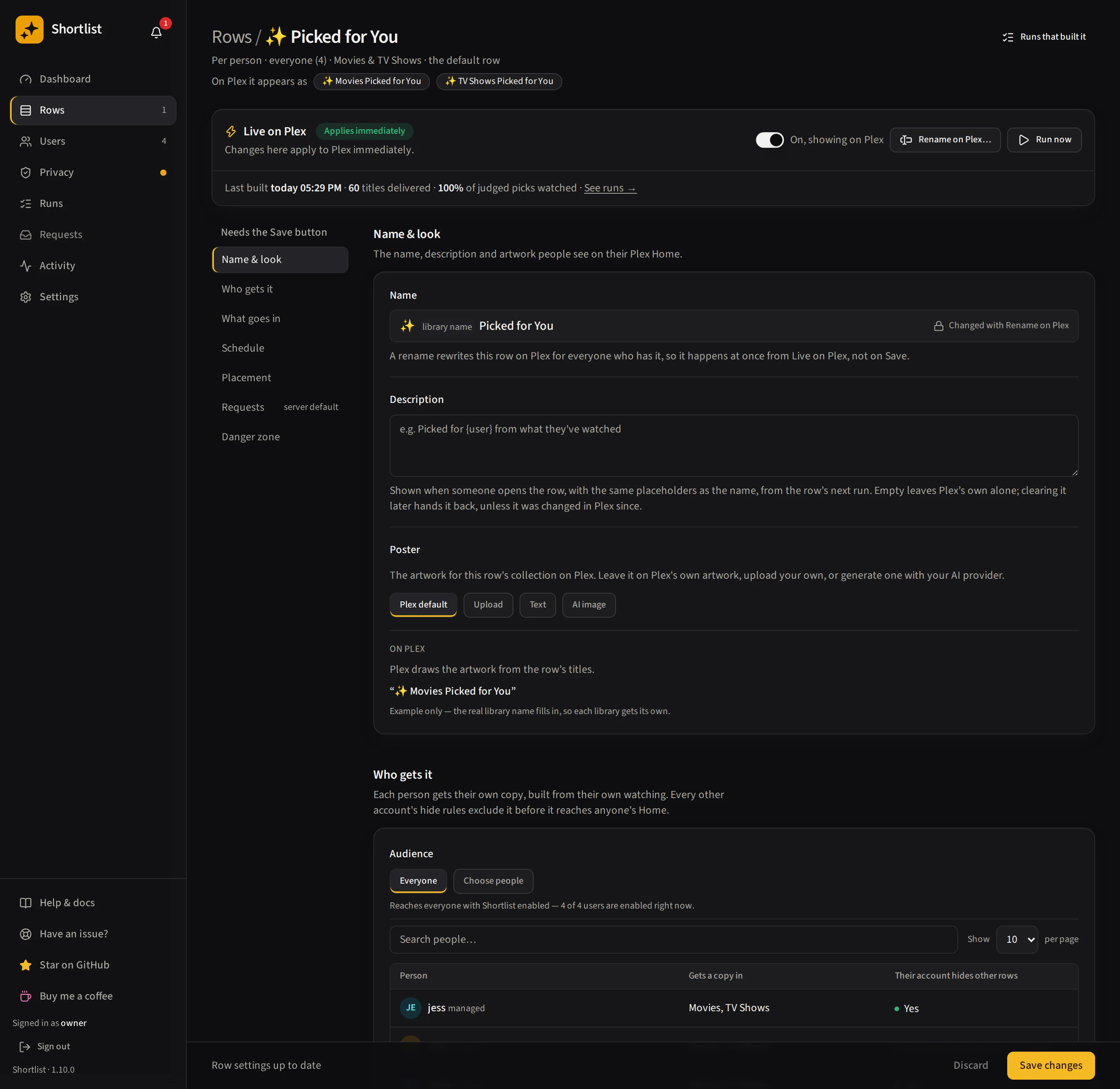
The row editor is one page. A jump list on the side goes to each section: Name & look, Who gets it, What goes in, Schedule, Placement, Requests and Danger zone. The Live on Plex strip at the top holds the changes that apply to Plex immediately: the on/off switch, Rename on Plex and Run now. Everything else waits for the sticky save bar at the bottom, which lists what is about to change and has Save changes and Discard. Removing or deleting a row is in the Danger zone, with a confirmation.
Users
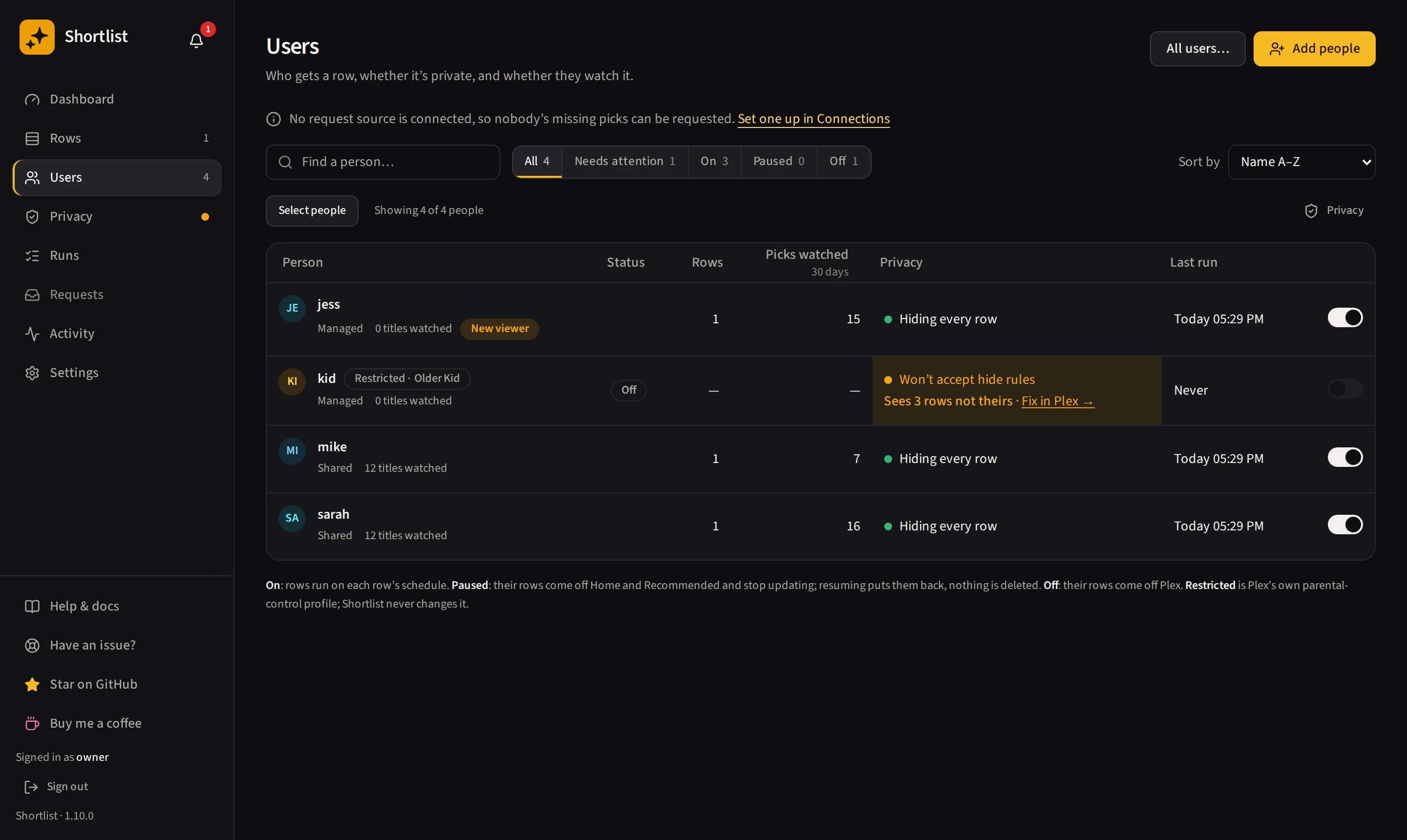
Everyone the server is shared with, plus you (badged owner). Each person is On, Paused or
Off, and you can filter by those states or by Needs attention. Turn people on, off or paused,
set per-person overrides, and see who Plex restricts: a Restricted pill shows the name of the Plex
parental-control profile on the account, and Shortlist never changes that profile. A Privacy column
says whether the account is hiding every row, is missing hide rules, is left alone by your choice, or
is the server owner. Everything on this page, and what each switch does to Plex sharing, is in
People and sharing.
Privacy
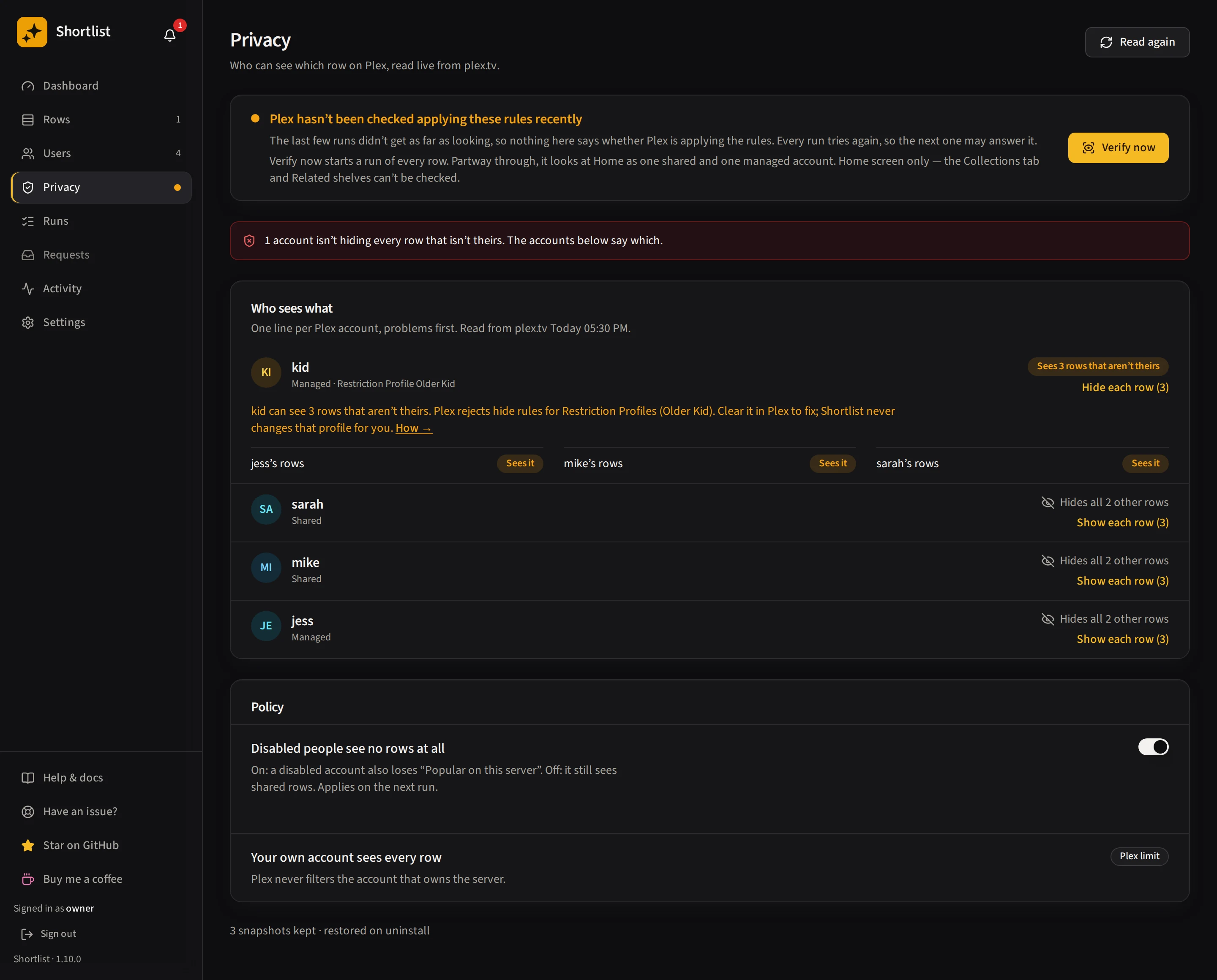
The page leads with an enforcement panel: Plex was applying the rules when last checked, Plex is ignoring the privacy filter, or a note that Plex has not been checked recently. It comes from the last run’s own measurement, so it stays visible when plex.tv is down, and Verify now starts a run of every row to measure it again. Under it, a who-sees-what grid lists each Plex account against the rows, read live from plex.tv, accounts with a problem first. Each account gets one verdict, such as “Sees it”, “Rule stored, not applied”, “Rule refused by Plex”, “Left alone” or “Not checked”. Read again in the page header re-reads plex.tv. The Policy panel holds Disabled users see nothing, which used to be in Settings, Advanced. It saves as you flip it and applies on the next run. The page reports only what it read; it does not claim anything about the Collections tab or Related shelves.
Runs
A run’s page opens on its rows, each with what happened for every person. The summary strip includes Privacy: how many accounts the run could confirm hid every row that was not theirs. An account it couldn’t check (such as a PIN-protected account with a Restriction Profile), one whose hide rules couldn’t be saved, and one you left alone are never counted as hiding; they are named under the count instead. A run from an older version reads Not fully measured, because it didn’t record those accounts. A run that finished fine but left an account able to see other people’s rows reads OK · N warnings, and the callout names the accounts. A dry run reads Not measured, because it writes no hide rules to measure. A failed run still says Failed.
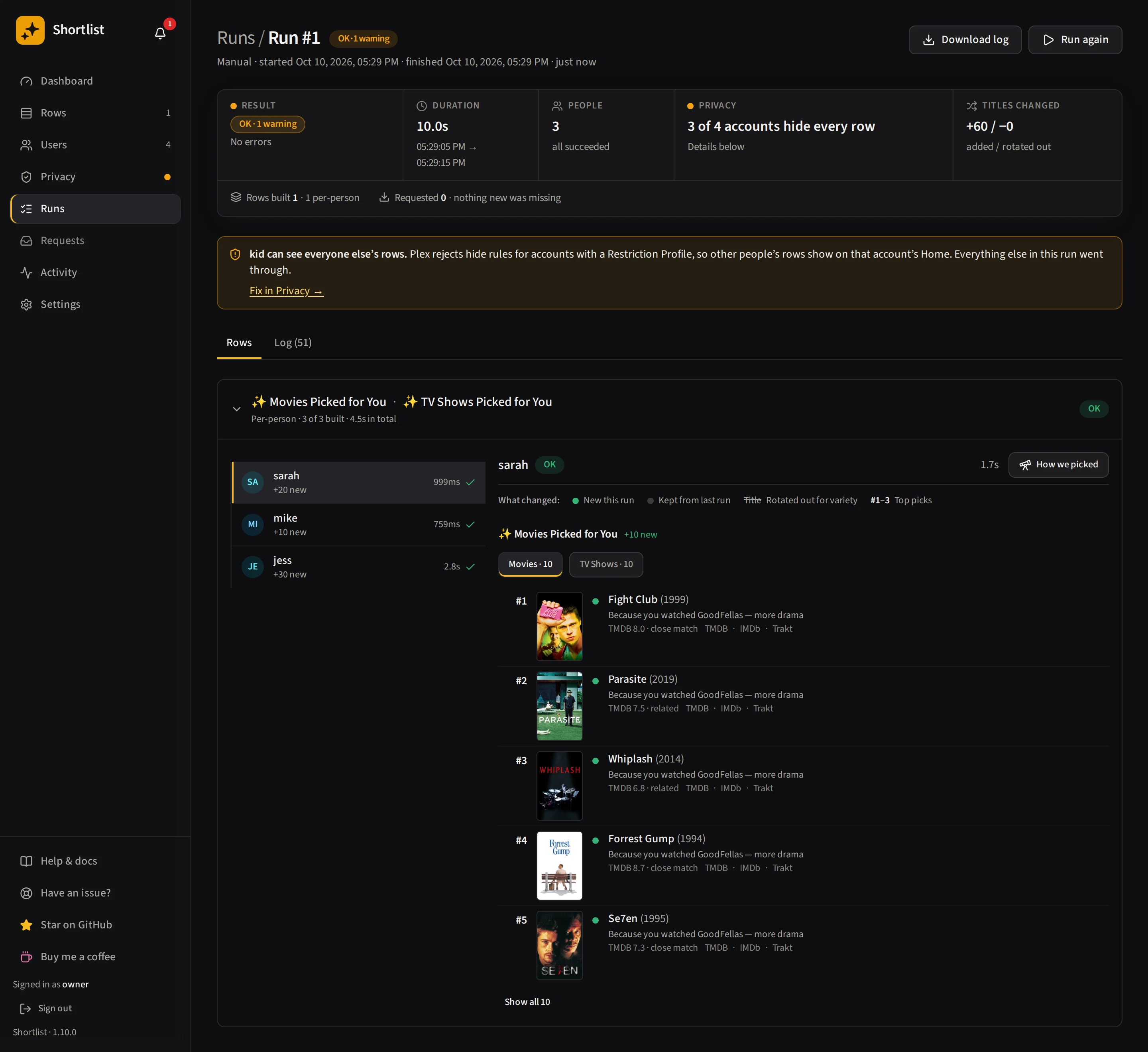
A live activity log streams each user through history → candidates → ranking → delivering as the
run happens, seeded from the server so a reload replays it. Warnings and errors the run logs appear
in the same log, highlighted (errors also under the Errors filter). They arrive when the run
finishes, or on a reload. Two kinds reach only the container log: PMS SLOW timings of slow Plex
calls, and anything logged after the log level is changed mid-run, which ends the capture for the rest
of that run. Per-user diffs are grouped by row then
library (“added X to Movies, Y to TV Shows”), each library showing its own ranked picks. Errors are
first-class rows with copy-for-GitHub buttons, alongside LLM token usage.
How we picked
Open a person and click How we picked to read the full pipeline for them as one flow, per library:
- The watch history and seeds it started from.
- Every candidate source’s query and what it returned, each title tagged with whether it made the shortlist or the plain reason it fell out (already watched, not in your libraries, lost the ranking cut).
- How the shortlist was ordered. The plain-code score plus the two fair-share passes. No AI ranks.
- What was finally delivered, and why.
The AI web-search card shows the exact Exa queries and the prompt the model searched from, and marks each proposed title kept or dropped, or struck through when it resolved to no real match (a hallucination). Long lists of returned titles expand in place.
Mobile trace navigation keeps the chosen heading below the sticky controls, highlights it and moves keyboard focus to it. Each watch-history seed has a Don’t seed action, also visible on mobile. A successful change shows Seed blocked; a failed change shows an error and Try again without claiming it saved.
A cold-start user, with too little history to search from, gets the same page, showing the highest-rated titles pulled from the server as their fallback — or, when their rows are set to skip instead (see Rows → People without enough watch history), the reason no row was built and how many titles they have watched so far.
Requests
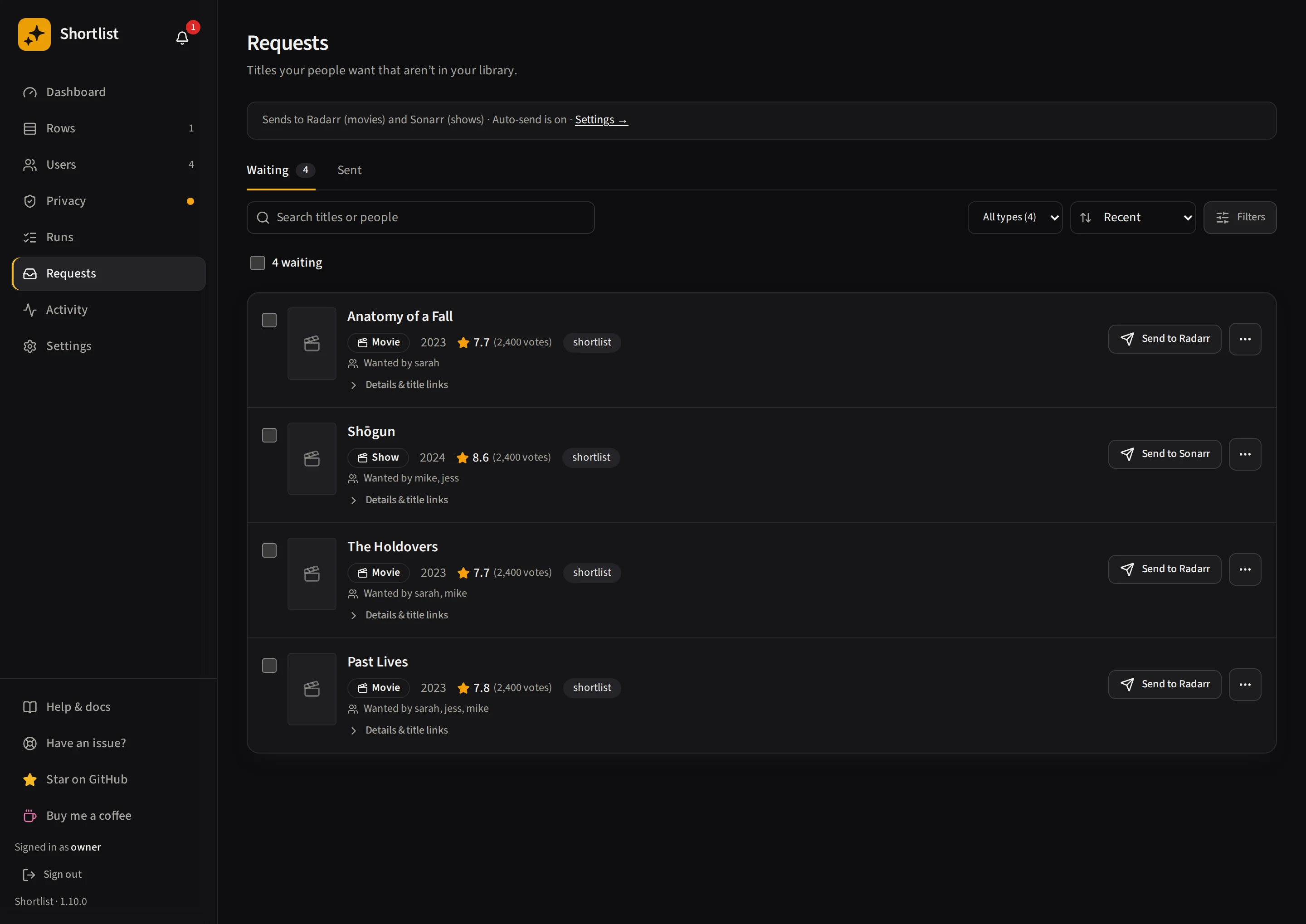
The approval inbox for titles your picks wanted but the library doesn’t have yet. Approve to send to Radarr or Sonarr, or reject so they never come back. The actions available for each title (Send, Delete and Reject) stay beside it. See Requests.
Activity
One page with four tabs: Jobs, Job history, Log and Changes on Plex. /jobs and
/logs open the matching tab.
Jobs
Every piece of background maintenance Shortlist does, one per line: the name, how the last run went, when the next one fires, and the button. The next-run time, or Not scheduled, stays visible on mobile too.
Run now holds the eight you start yourself:
| Job | What it does |
|---|---|
| Sync people from Plex | Pull the roster from plex.tv and Tautulli |
| Sync watch history | Re-read everyone’s watched set |
| Check and fix rows on Plex | Preview, then fix, rows left on the wrong shelf |
| Privacy sync | Re-merge every share filter |
| Back up the database | Write a backup to /config/backups |
| Clear out old records | Drop run history past the limit you set |
| Pick new row themes | Give AI rows set to Explore their next theme |
| Show and hide rows for today | Apply each row’s day schedule and seasons |
A tag on the line says what a job changes on your server: Can delete on the one that can remove a collection, Changes Plex on the ones that write. Anything untagged only reads, or only touches Shortlist’s own records.
Automatic holds the ones Shortlist queues for itself when something changes: removing a disabled person’s rows, hiding a paused one’s, tidying up after a row edit. Those have no button by design: each one is aimed at a specific person or row by the action that queued it.
Open any job for its description, its settings (the frequency picker on the scheduled ones, the backup retention and restore list), what the last run reported, and Previous runs, that job’s own history. Anything a run is doing right now, such as a progress bar or a drift preview and its Fix button, stays visible on the line without opening it.
Job history
Every job run across every kind, newest first, filterable by All / In flight / Failed. Open a row for what it was asked to do, what came back, how long it took, and the error if it failed.
Anything that fails is retried with backoff and survives a container restart. If it finally gives up, it reaches the notification bell.
Log
What this instance has been doing, with a level filter (this level and louder), a text filter, live follow, Copy, and Download .zip for attaching to a bug report.
Tokens, API keys and passwords are stripped out server-side before anything reaches the page or the zip, so it’s safe to share. The file keeps the last 10 × 10 MB and always records at DEBUG, regardless of the console level in Settings → System.
Changes on Plex
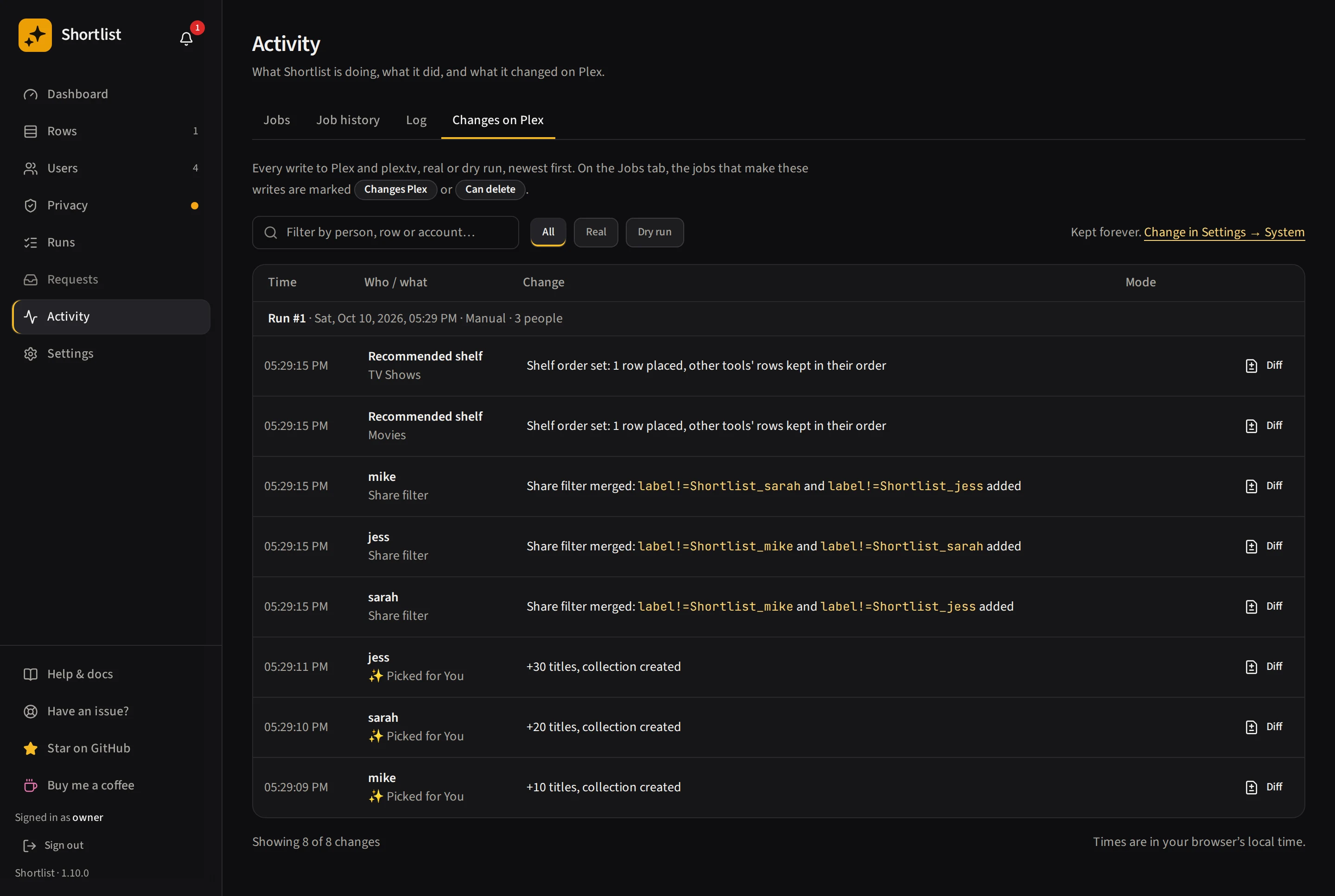
The audit trail of every write Shortlist made to your server, newest first, with a filter and a Real or Dry run mode on each line.
How long history is kept
Clear run history on the Runs page permanently deletes the run list and step-by-step logs. Your Plex rows, saved picks and watched-pick counts are kept. Watch tracking continues: Shortlist keeps the delivered titles and audience separately from the run history, so clearing that history doesn’t stop new plays from counting or affect its ability to tidy up rows on Plex.
If older delivery history is missing or its timing cannot be verified — including history already cleared before delivery records were kept separately — saved recommendations cannot restore it. Existing watched-pick counts are kept. Run the affected rows again to record their delivered titles and resume matching new watches.
How long each of the two histories is kept is set in Settings → System:
- Runs kept (three months by default) for the browsable run detail.
- Change log kept for the record of what Shortlist changed on Plex and in these settings. This defaults to Forever, because it is the only lasting answer to “what changed on whose account”, so it outlives the runs around it.
Both are applied by the nightly Clear out old records job. Expiring run history also keeps current row membership and watch tracking intact.
Settings
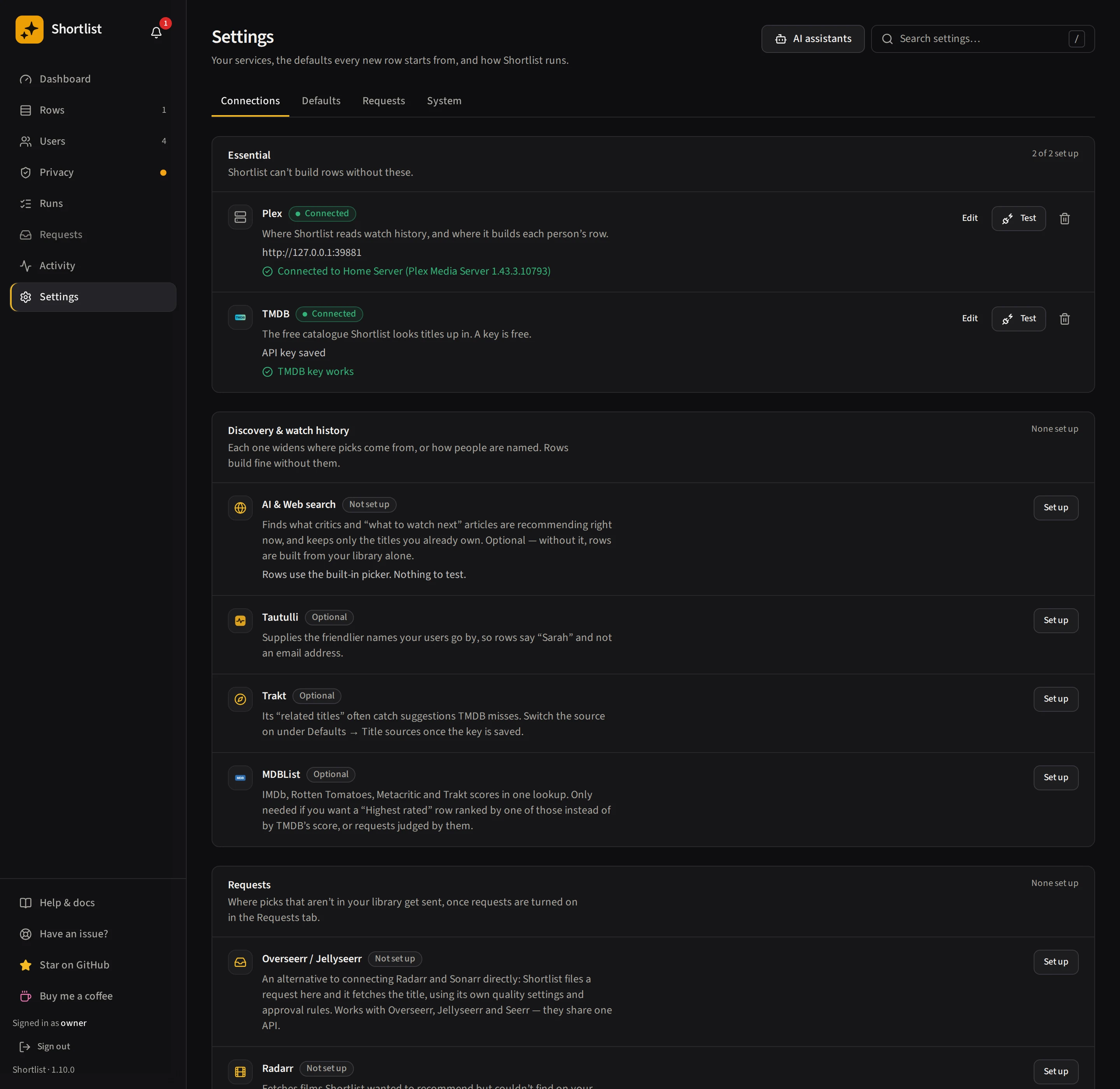
Four tabs, each with its own address: Connections (/settings/connections), Defaults
(/settings/defaults), Requests (/settings/requests) and System (/settings/system). Use the search box to find a setting by
name. Connections holds Plex, TMDB, AI and web search, Tautulli, Trakt, MDBList, Overseerr or
Jellyseerr, Radarr, Sonarr and the webhook with its alert events. Defaults holds Title sources,
Refresh and variety, Row defaults, and Row placement. Requests holds the request sources, limits and the “don’t request these automatically” hold filter. System holds retention, logging, run speed
(run concurrency and Pause all users), the Plex cleanup audit, API access and the Danger zone, which
holds the full uninstall. All forms stay mounted, so switching
sections preserves unfinished edits. Every connection is re-testable in place. See
Finding and saving settings.
Each row’s run schedule lives in that row’s editor, not here. See Schedules.
Reading the dashboard
Everything on the dashboard is scoped to the window selected at the top, the last 30 days by default. That matters more than it sounds. A pick can only ever be credited while its row is still showing it, so counting every pick ever delivered would measure how long Shortlist has been installed rather than how good the picks are — each night would add another ~60 picks per person that can no longer be credited, and the number could only sink. The window is what keeps these figures about the picks.
Watched from rows — picks people STARTED in the window, with the number delivered beside it (“· 100 delivered”). A pick delivered last month and watched this week counts here, as long as the row was still showing it: this figure is about watching, not delivery. The two are separate counts, not “41 of 100”, because watches are counted by when they happened and deliveries by when the pick was made. For a series it counts from the first finished episode, because that is Plex’s own definition and Plex offers no other — see Finished.
A watch is credited only when the title was in one of that person’s rows at the time. Shortlist matches the play’s time against the recorded delivery and audience, even if the play arrives after a later rebuild. If a row swapped a title out before they watched it, it does not count — they found it some other way. Saved recommendations alone are not proof that a title was delivered. Once a pick is credited it stays credited, and finishing a series months later still upgrades it from started to finished.
Finished — of those, the ones they saw out: a film played, or a series with every episode watched. The two are worth reading together. On the maintainer’s own server, of 158 series picks credited as watched only 21 had actually been finished and 31 were a single episode — so a lone “watched” count makes a TV row look better than a movie row for a structural reason rather than a real one. A big Watched with a small Finished means people are sampling, not staying.
Under the figure, a line says what became of the rest. It reads “N gave up part-way” when someone started a pick and abandoned it, and “N still going” for the ones still in progress. Both appear only when they are not zero. Giving up is the one thing Plex’s own watched flag cannot show: to Plex, a pick nobody opened and a pick someone played for three minutes are both “not watched”, and they say opposite things. A film counts as given up only after 24 hours with no further play, so the clock restarts if they come back, and a series is never counted as given up. Worth a look at the bottom of the page lists them. That card hides itself when there is nothing to look at.
Giving up counts only what Shortlist watched happen live, so it starts empty and fills in from the moment watch tracking is running. A title nobody has played since then is in neither count — unknown is not the same as zero.
People watching — how many people watched at least one title from their rows in the window, out of everyone currently enabled. It counts people; Watched from rows counts titles.
Time to watch — average days from a title first being recommended to it first being watched, over titles first watched in the window. A dash means nothing has been watched yet.
Each person counts from their first pick, so viewing from before they had a row is left out, and people with no picks yet aren’t counted. The dashboard says the rows are in front of what people choose, not that a row made the choice.
Who’s watching has a By person / By row switch. The page remembers which one you picked, in this browser. Counts, not percentages, sorted by what was actually watched, with the
finished count beside each. At these sample sizes a percentage is noise: ranking by one put a person
with 1/31 above a person with 3/103. Sorting stays on watched deliberately — ranking on finished
would bury every TV row under every movie row, which says more about the medium than about the row. People and rows with nothing in the window fold away behind a disclosure rather than filling
the list with empty bars, and rows you have since deleted are hidden the same way, and their picks still
count in the totals above.
Hiding a deleted row is the default because its picks are real history. If you want it actually gone (a throwaway test row, say) expand the disclosure and choose Delete their history. That permanently removes those picks from every total that counts them, here and on each person’s page, and cannot be undone. Rows that still exist are never affected, whichever slug is named: Shortlist recomputes what is eligible on the server rather than trusting the request.
Requests sits just above Worth a look, which closes the page. It shows, as a single line, how many titles were sent to be downloaded in the window, how many of those were watched since, and how many are awaiting approval, with links to Review and the Send log. A figure that is zero is left out.
Most watched is a shelf of posters: the titles with the most watchers in the window, each with its rank and the faces of a few people who watched it; hover for the watcher count.
Recently watched lists the newest watches. Each line leads with the poster and title, says whether it was Watched (a film), Started or Finished (a series), names the person and the row it came from, and shows how long ago it was. Older watches are on each person’s page.
Watches per week is always the long view: the last 16 weeks, whatever window is selected. Each column is split: the solid part is what got finished, the faded part what is still going. A past week’s solid part can GROW later, when someone finally finishes a series they started back then — the bar answers “what became of what landed that week”, and that answer genuinely changes.
Edit this page on GitHub